
By Jarren Ringle
There are a lot of tech terms. Some make sense, but many don’t. Sometimes we use the wrong word…like saying “memory” when we should say “storage.” It may not matter when having an ordinary conversation, but it will when you’re buying that shiny new smartphone.
In this article, I’m going to help you understand some of the common tech terms we often get wrong. I will use Artificial Intelligence (ChatGPT) to help write this article because it can be more precise than I might be. Besides, if something is wrong, I can always blame A.I.
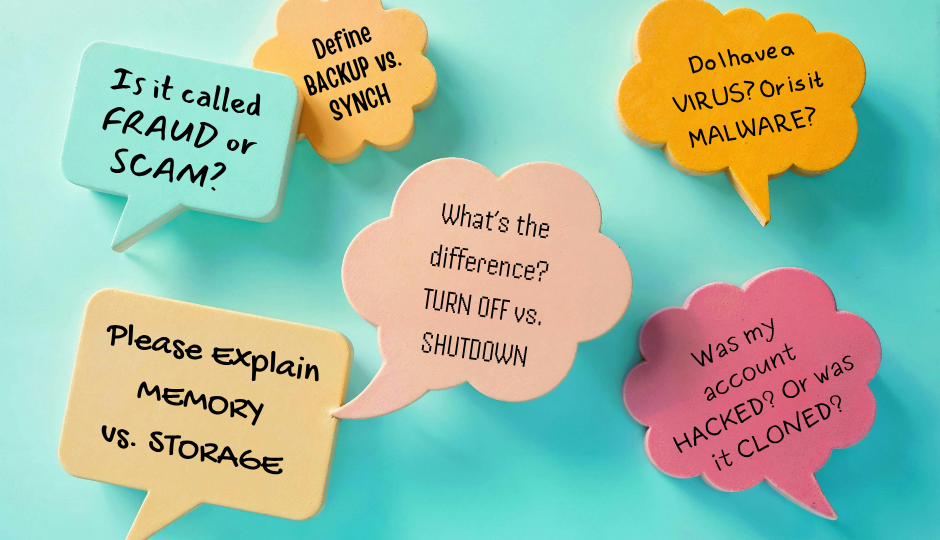
Fraud vs. Scam – Fraud is intentional deception for unlawful gain. You are not likely to participate by agreeing to give or do something. A scam is a deceptive scheme to trick someone into giving or doing something. In a scam, you are participating by acting. A fraud is breaking the law, but a scam is not necessarily breaking the law.
Virus vs. Malware – A virus is one type of malware, but not all malware is a virus. A virus is a type of malware that replicates by infecting files. Malware is a broad category including viruses, worms, trojans, etc. It can spread via files, links, networks, etc. Both are bad news, but malware, including ransomware attacks, costs billions of dollars in losses each year.
Hacked vs. Cloned – Hacked is unauthorized access to a system or account with the intent to steal data, commit fraud, spy, or cause damage. If you have been hacked, you may not be able to log in, your settings may have been changed, or there may be suspicious activity. Cloning is copying or duplicating an account, device, or identity. The intent is to impersonate, scam contacts, or steal your identity, and is frequently seen on social media like Facebook. When someone tells you they are seeing fake accounts in your name, your account has likely been cloned.
Backup vs. Sync – A backup creates a copy of data to restore if lost or damaged and is one-way: from the source to the backup location. Sync (Synchronization) keeps data identical across multiple devices/locations. It is two-way (or multi-way): updates happen on both sides. It is a good idea to use both to keep our data safe.
An important example of synchronization is seen in Apple iCloud, especially with photos. When you use iCloud to store your Apple photos, it synchronizes photos between the iCloud and your iPhone or iPad. If you delete a photo from one “spot,” it will be deleted from all Apple devices in that Account.
Turn-off vs. Shutdown – Turn-off is a generic term for stopping power to a device and can be abrupt (e.g., flipping a switch). It may cause data loss or hardware damage, like unplugging a running computer. Shutdown is a specific, orderly process to safely close a system. It is controlled: closes programs, saves work, and ends safely. It is designed to avoid damage or file corruption.
Memory vs. Storage – Memory (RAM) temporarily holds data for active tasks and is volatile (the data is lost when power is off). Storage (Hard Drive, SSD) permanently saves files, photos, programs, and the operating system. Storage is non-volatile (data remains after shutdown).

Jarren Ringle is a member of SourcePoint and a volunteer instructor. SourcePointers come to Jarren for tutelage on their tablets, laptops, and the most popular of all devices – cell phones. He teaches various technology classes throughout the year including one-on-one sessions and group classes. Jarren also volunteers at the Delaware County Office of Homeland Security and Emergency Management. With many years of project management experience in various technology fields, he enjoys helping others with technology.
Technology 1:1 Assistance: Jarren Ringle provides guidance on technology in a 45-minute time slot. Do you have questions regarding a cell phone, PC, laptop or tablet? Share what the device is and what your question is upon registration so that Jarren can be better prepared to help. >> Schedule your 1:1